Summary
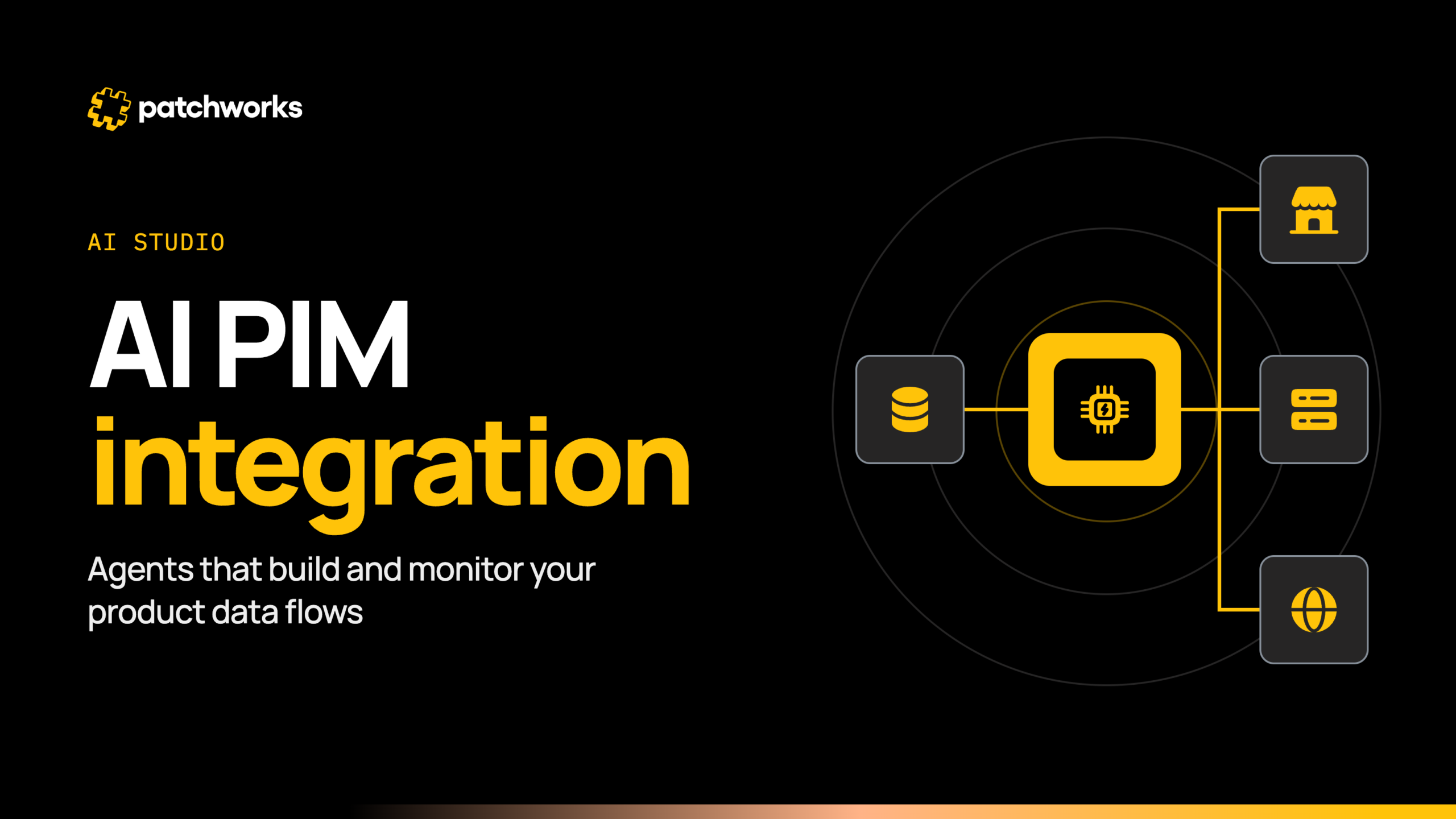
Product data that is right in one system should be right in every channel. AI Studio agents now draft and watch the flows that move it between your product information management (PIM) system and the rest of your stack. Your team still reviews and approves what goes live.
This guide explains what the agents do, and where people and developers stay in charge.
What can AI agents do for PIM integration?
AI agents help keep product data reliable across ecommerce, enterprise resource planning (ERP) and marketplaces, by building, running and operating your PIM integrations faster. AI Studio is a suite of agents that understand your integration context, and it is available on all plans.
Patchworks is the retail-first, AI-native orchestration layer for retail tech stacks. You may also see this category called iPaaS (integration platform as a service).
The outcome matters more than the agents. A product record that is right in your PIM should be right in Shopify, your ERP and every marketplace.
The agents are how that happens faster. The Implementation Agent drafts flows, the Health Monitor Agent watches them, and your team stays in charge of what goes live.
How do you describe a PIM flow in plain English?
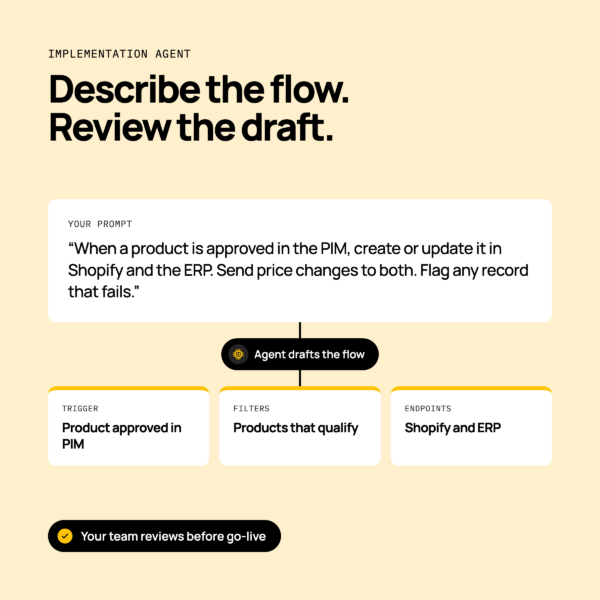
You write the outcome you want, and the Implementation Agent drafts the flow for you to review. The flow builder is low-code and drag-and-drop, so you can open the draft and adjust it by hand.
Take a retailer that wants product data to move from its PIM to Shopify and its ERP.
An illustrative prompt might read: “When a product is approved in the PIM, create or update it in Shopify and the ERP. Send price changes to both. Flag any record that fails.”
The agent proposes the trigger, the filters that decide which products qualify, and the endpoints in each system. Products, prices and stock then move as you described.
What to include in your prompt
A clear prompt gives the agent less to guess. Include these items:
- The source and destination systems, such as your PIM, Shopify and your ERP.
- The product objects and fields that should move.
- How often the flow should run.
- What counts as an error, such as a missing SKU or a rejected record.
Which PIM and connection methods this works with
Patchworks picks the connection method that fits each system. Prebuilt connectors talk directly to each system’s API. You can browse our PIM integrations to see what is available.
For systems not yet in the marketplace, the connector builder creates new connectors, and the Inbound API connector handles non-standard systems. SFTP connectors cover file exchange, which is common for suppliers and legacy PIM exports.
How are field mappings generated and reviewed?
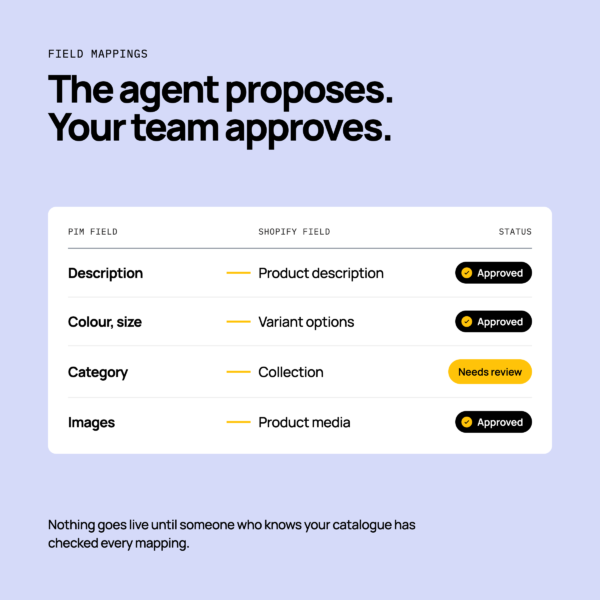
The agent proposes mappings between PIM fields and destination fields, and your team reviews and approves them before anything goes live.
At a plain level, mappings cover attributes, variants, categories and images. The agent drafts the match, such as a PIM description field to a Shopify product description. You confirm it is right.
Variants carry their own detail, which we cover in managing fashion product variants between PIM, ERP and Shopify.
- Do test SKU and variant mappings on real products first.
- Don’t fall back on hand-edited spreadsheets when trading is busy.
- Do have someone who knows your catalogue approve the mappings.
- Don’t treat a drafted mapping as final until it has been reviewed.
How do you monitor product data flows?
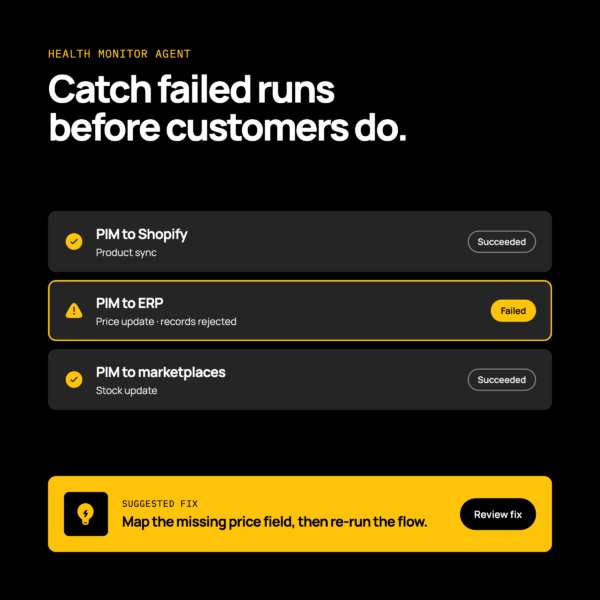
The Health Monitor Agent watches your flows and helps you find and fix problems before customers notice. It scans integration logs, spots errors across your systems and suggests fixes.
Product data failures start quietly, in flows nobody is watching. A price update stalls, and a listing shows the old price for days.
When a flow fails, you should see which run failed and which records were affected. You can then work out the cause and fix it. For the common causes, read how to catch product data errors early.
What the Health Monitor Agent checks
The Health Monitor Agent looks at how each integration ran. It checks the execution logs for failed runs and runtime errors across your endpoints, such as a rejected product record or a sync that stopped.
When it finds a problem, it suggests a fix, so your team can act before the problem reaches a customer or a marketplace listing. Your team decides what to change.
Using the Patchworks MCP server to triage issues
The Patchworks MCP server connects AI assistants such as Claude, ChatGPT and Gemini directly to Patchworks. Your team can triage issues, generate reports and run flows in natural language. It is hosted, so there is no extra infrastructure for you to run.
Where do developers still step in?
Developers review what agents produce, script custom logic and own the edge cases. Patchworks makes developers and agencies faster, not redundant.
Three areas stay with them:
- Custom transformations that go beyond a standard mapping.
- Non-standard systems, where the connector builder creates the connector.
- Sign-off on production changes.
For a technical example, see how an AI agent rebuilt a hand-coded Shopify, NetSuite and HubSpot integration. You can also read about using agents to orchestrate and self-heal integrations.
Agencies can see how a partner such as Jellywall builds integrations, or learn how to become a Patchworks partner. Our prebuilt Integration Pairs also give each build a starting point.
How does AI-assisted PIM integration fit into a wider PIM integration plan?
AI speeds up setup and monitoring, but it sits inside a wider plan. Decisions on data ownership, replatforming, syndication and PIM choice are still yours, and AI doesn’t make them for you.
Each of those decisions has its own guide: