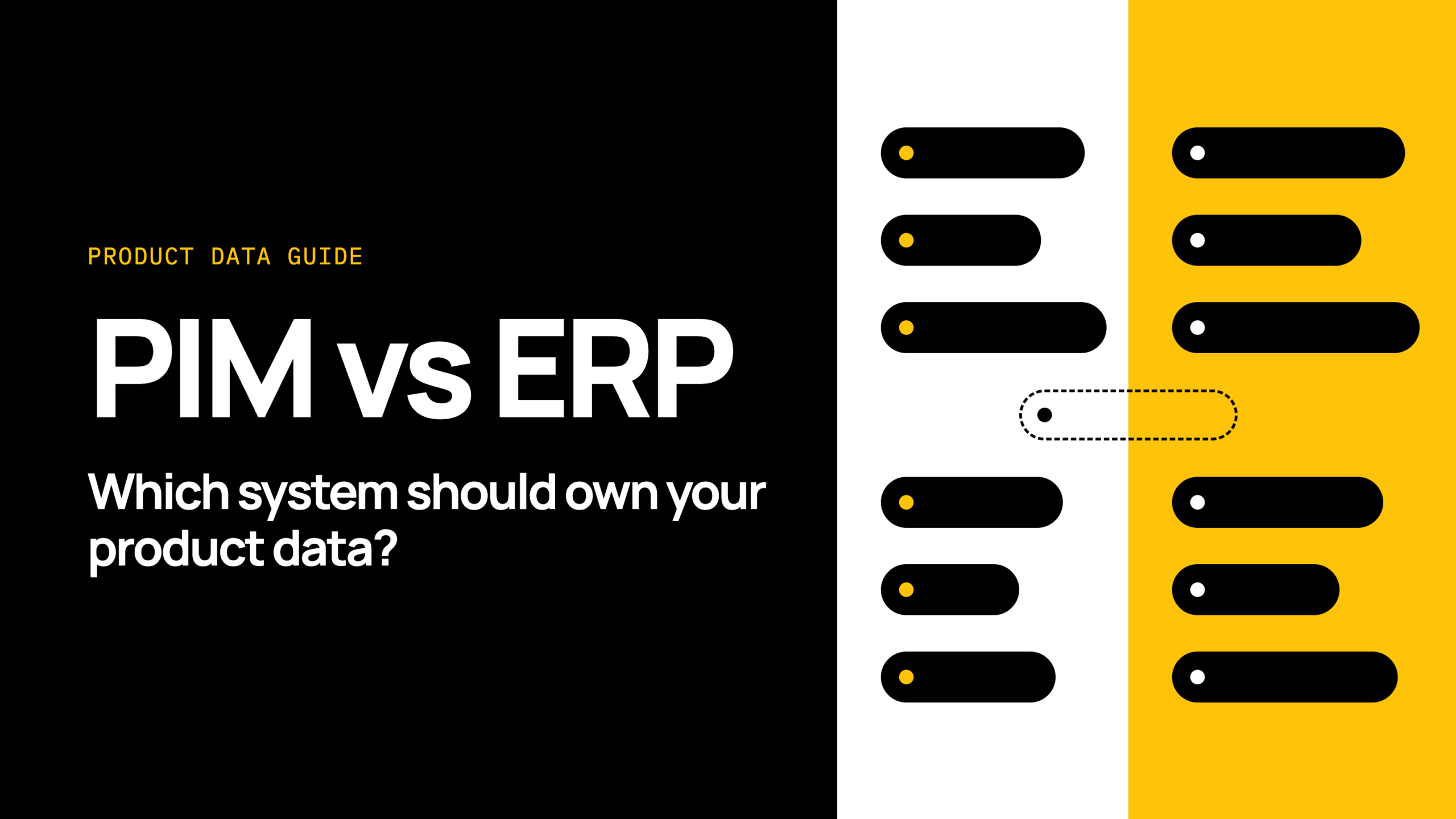
What is the difference between a PIM and an ERP?
An enterprise resource planning (ERP) system runs the operational and financial record of the business. A product information management (PIM) system enriches product content and publishes it to your channels.
In retail terms, the ERP knows the SKU, the cost, the stock and the supplier. The PIM knows the title, the description, the images and the attributes a shopper uses to choose.
Both hold a record for the same product. That overlap is where problems start.
Which system should own your product data?
Neither system owns all product data. The ERP typically owns the operational record, and the PIM typically owns the commercial, channel-ready content.
This is a rule of thumb rather than a law, and the answer changes at certain trigger moments:
- You add channels, such as marketplaces or a new storefront.
- You replatform onto Shopify.
- You change or consolidate your ERP.
For a CFO or COO, the point is risk and total cost of ownership (TCO). Unclear ownership adds rework and errors over time.
When the ERP can be the product data master
The ERP can be the master when your catalogue is simple. You sell through few channels, and your products need little enrichment beyond a name, a short description and a picture.
In that case, a second system adds work without adding much value. Keep product data in the ERP and publish it to your store.
When a PIM should be the product data master
A PIM should be the master for commercial content when you sell across many channels. It also fits when products carry rich content, many variants or marketplace-specific requirements.
Here, the ERP is the wrong place to write and approve content. Teams need to adapt titles, images and attributes per channel without touching the financial record.
The ERP still owns the operational fields. The PIM becomes master for the content fields only.
Which fields belong in the ERP and which in the PIM?
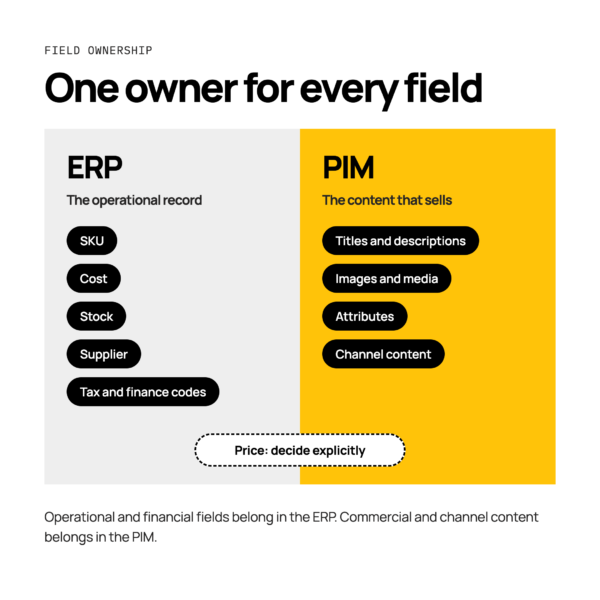
Give each field one owner, based on who needs to control it. Operational and financial fields belong in the ERP. Commercial and channel content belongs in the PIM.
Use the table below as a starting point, and adjust it to fit your own systems.
| Field |
Typical owner
|
Note |
|---|---|---|
| SKU |
ERP
|
Created first, then shared with the PIM
|
| Cost |
ERP
|
Finance-controlled
|
| Stock |
ERP
|
Flows out to channels
|
| Supplier |
ERP
|
Operational record
|
| Tax and finance codes |
ERP
|
Finance-controlled
|
| Titles and descriptions |
PIM
|
Written per channel where needed
|
| Images and media |
PIM
|
Managed and approved here
|
| Attributes |
PIM
|
Size, colour, material and so on
|
| Channel content |
PIM
|
Marketplace and storefront variants
|
| Price |
Decide explicitly
|
See below
|
Price needs an explicit decision. Some retailers hold the base price in the ERP and let channels apply rules. Others manage channel pricing in the PIM or another tool.
Either can work. Choose one owner per price type and write it down.
Worked example: NetSuite and a PIM
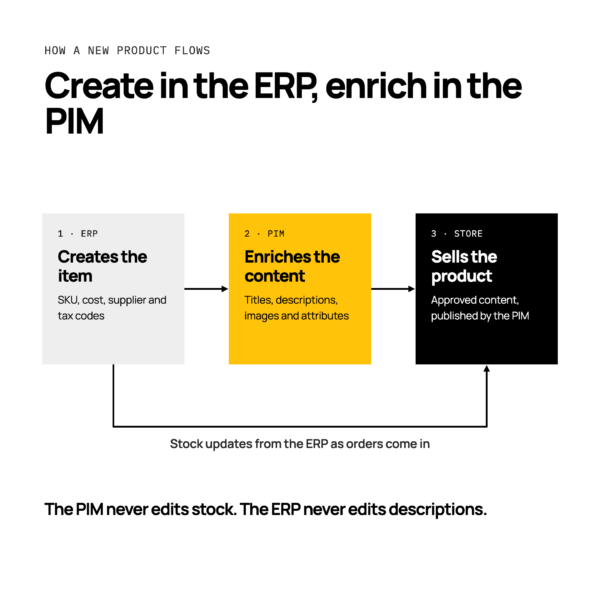
Take a typical NetSuite set-up, where a new item is created in NetSuite first. It carries the SKU, cost, supplier and tax codes.
That item then flows to the PIM, where the team adds titles, descriptions, images and attributes. Once approved, the PIM publishes the product to the store.
Stock then updates back from NetSuite to the store as orders come in. The PIM never edits stock, and NetSuite never edits descriptions.
Worked example: Microsoft Dynamics 365 Business Central and a PIM
With Microsoft Dynamics 365 Business Central, plan carefully for variants and units of measure. A parent item and its variants are set up in Business Central, with unit of measure and cost.
The PIM groups those variants into one product with shared content and per-variant attributes. The publish step must then create the right parent and variant structure in Shopify.
Here the check is structure. A variant that exists in Business Central but not in the PIM never reaches the store. Agree who creates the variant record, and test that it travels.
How do you avoid two sources of truth?
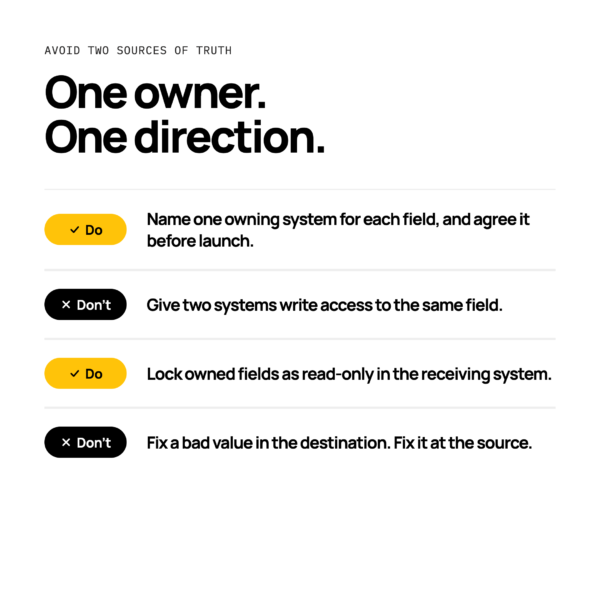
Assign one owner per field, and let data flow in one direction for each field. Two systems editing the same field is how two versions of the truth appear.
- Do name one owning system for each field, and agree it before launch.
- Don’t give two systems write access to one field.
- Do lock owned fields as read-only in the receiving system where you can.
- Don’t fix a bad value in the destination. Fix it at the source and let it flow.
How should data sync between a PIM and an ERP?
Sync product data through an orchestration layer that moves each field from its owning system to the others, with monitoring. That keeps the ownership rules in one place.
Patchworks is the retail-first, AI-native orchestration layer for retail tech stacks. It’s an iPaaS (integration platform as a service) that sits between your ERP, PIM and store.
Prebuilt connectors talk directly to each system’s API. For systems not yet in the marketplace, the connector builder creates new connectors, and file-based methods such as SFTP cover the rest. Blueprints and prebuilt process flows give you a starting point, so you don’t build every flow from scratch.
For the wider picture, read our guide to PIM integration, or see how Patchworks handles ERP integrations.
What goes wrong when product data ownership is unclear?
Listings, prices and stock disagree across channels. Shoppers see one thing, and your systems say another.
Two patterns show up often:
- A price changes in one system, then another system overwrites it on its next sync.
- A variant is created in the ERP but never reaches Shopify, so it can’t be sold.
Both are quiet failures. Nothing breaks loudly until someone notices an order or a listing is wrong.
For a fuller list, see seven product data errors that break orders and listings.