TL;DR: We had a working, hand-coded Python integration syncing Shopify orders into NetSuite and HubSpot. Instead of describing what Patchworks does in the abstract, we gave that real code to the Implementation Agent inside AI Studio and asked it to rebuild it as native flows. It read the logic, asked four clarifying questions before touching anything, installed the closest marketplace blueprint, built a missing HubSpot connector from scratch, and noticed the blueprint defaulted to scheduled polling when the original code was webhook-driven — then rebuilt it to match. Here’s exactly what happened, including the one place we had to correct it.
Written by Jim Herbert, CEO for Patchworks iPaaS
Most demos of an AI integration builder start with a blank canvas and a simple prompt. That’s a fair test of a model’s imagination. It’s not a very honest test of anything else.
So we tried something different. Sitting in a folder somewhere was a working Python integration — hand-coded, not built for a demo — syncing Shopify orders into NetSuite and HubSpot. It had the marks of a real integration: webhook signature verification, an idempotency check, a SKU-mapping fallback for the products someone forgot to tag properly.
We uploaded the source straight into the Implementation Agent and asked it to rebuild the whole thing as native Patchworks flows. This is what actually happened, prompt by prompt, including the bit we had to correct.
What the original code was doing: A script with real scars, not a demo prop
Nine files, a little over 1,100 lines. Nothing exotic, but nothing lazy either. A few details mattered, because the agent had to actually understand them rather than pattern-match them:
- Shopify webhooks were verified with an HMAC signature check before anything else ran.
- NetSuite authentication used OAuth 2.0 client credentials — machine-to-machine, no client secret. Instead, a JWT client assertion signed with a private key, with the certificate ID passed as the kid in the JWT header.
- SKU resolution had a fallback chain: check a local map, fall back to a live SuiteQL lookup by item ID, fall back again to a configured fallback item, and only then raise an error rather than post a partial order.
- Order lines handled per-line Shopify discounts as a rate reduction, and shipping was appended as its own line only when a shipping item ID was configured.
None of that is complicated in isolation. It’s the kind of logic that’s easy to write once and painful to hand off — because all of it lives in code a non-developer can’t safely touch.
The Prompt: One instruction, and a deliberate second sentence
We uploaded the codebase as a PDF and gave the Implementation Agent one instruction:
| “Please analyse the python code in this codebase and recreate it
in Patchworks. Use standard flow shapes like flow control / mapping shapes rather than just scripts to ensure it’s easy for humans to change.” |
That second sentence is doing most of the work. Ask an agent to “just rebuild this” and you’ll likely get something that works but still lives in scripts — which solves nothing, because you’ve just moved the maintenance problem from a Python repo into a script step inside a flow. Asking for shapes instead of scripts is the difference between an integration a developer can read and one only a developer can touch.
Four questions, before a single flow existed
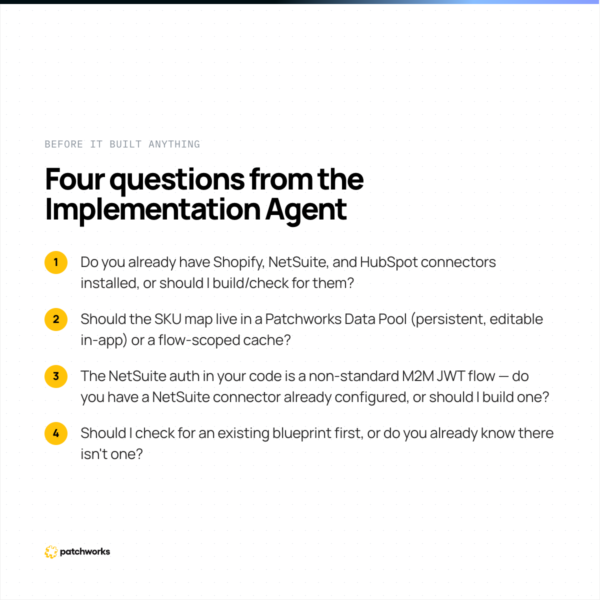
Before writing anything, the agent came back with its proposed design and four questions:
- Do you already have Shopify, NetSuite, and HubSpot connectors installed, or should I build/check for them?
- Should the SKU map live in a Patchworks Data Pool (persistent, editable in-app) or a flow-scoped cache?
- The NetSuite auth in your code is a non-standard M2M JWT flow — do you have a NetSuite connector already configured, or should I build one?
- Should I check for an existing blueprint first, or do you already know there isn’t one?
We answered in one line: install the connectors from the marketplace, use the standard NetSuite REST connector with OAuth 1, and put the SKU map in a Data Pool.
What it Built: Two flows, fully visual, scripts only where unavoidable
From that single reply, the agent worked through the rest on its own. It found the closest match in the marketplace — a 14-flow “B2B Shopify × NetSuite” blueprint — installed it, and in parallel built a HubSpot CRM connector from scratch, since none existed in the account. Two flows came out of it, both fully visual, no scripts beyond the two places scripts were genuinely unavoidable:
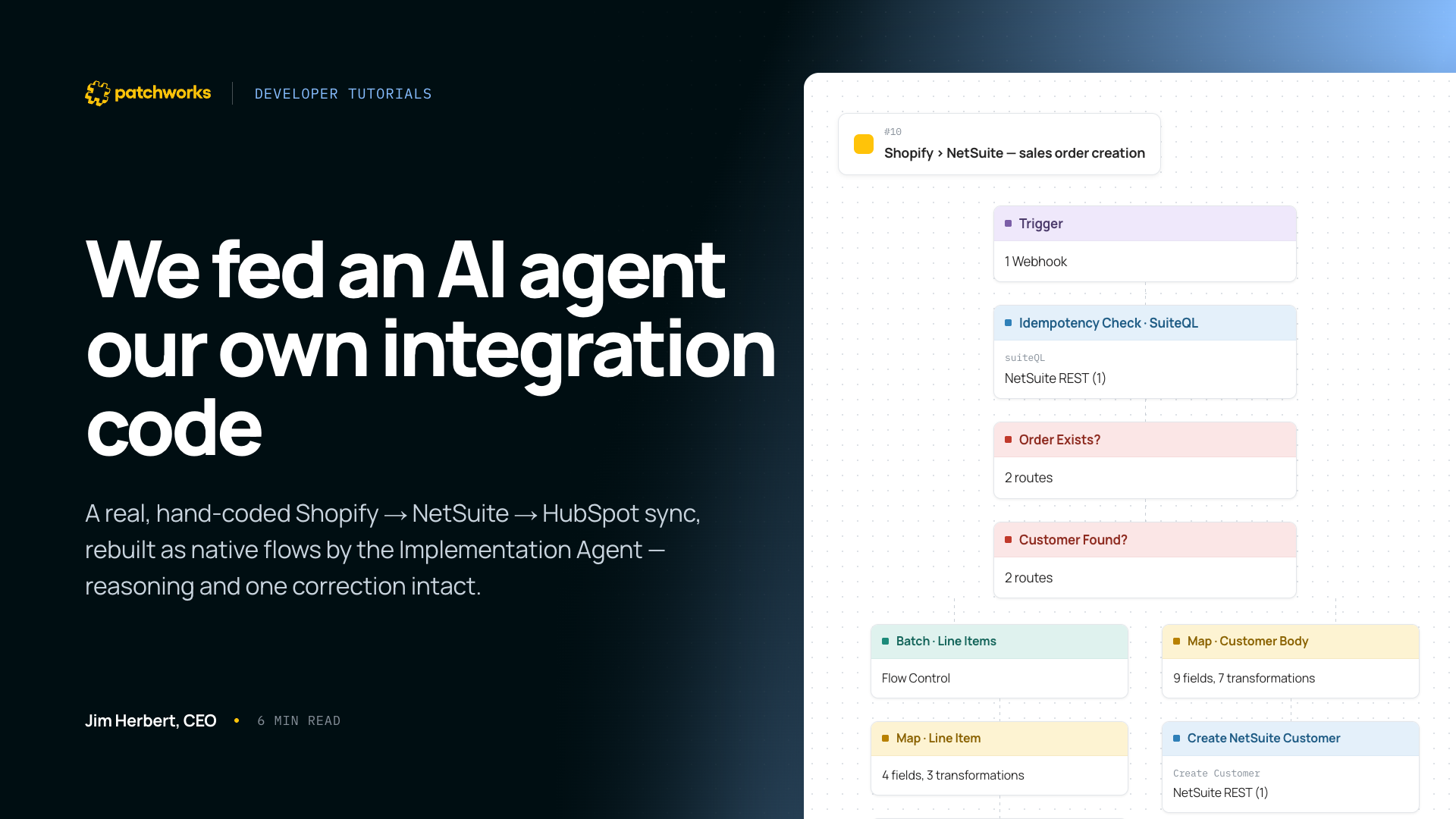
Shopify → NetSuite: sales order creation
Webhook trigger → idempotency check against NetSuite via SuiteQL, skipping if the order already exists → customer lookup, branching on found/not found → customer creation if needed → line-item mapping via the SKU Data Pool, batched → sales order body mapping (12 fields, 7 transformations) → NetSuite sales order creation.
Shopify → HubSpot: contact create/find on order
Webhook trigger → filter requiring an email address → mapped HubSpot contact search → route on contact exists/doesn’t exist → contact-body mapping (13 fields) → try/catch around the create call, specifically handling a 409 conflict as a partial success rather than a hard failure.
Every branch, filter, and field mapping in the original script now has a visible equivalent on the canvas.
One thing it caught on its own: It noticed the blueprint didn’t match the code — and fixed it
This is the part worth sitting with. The marketplace blueprint it installed defaults to scheduled polling for sales order creation — check NetSuite every so often, pick up what’s new. The original Python code was webhook-driven: it reacted to a Shopify order the moment it fired. The agent noticed the mismatch itself, flagged it, and rebuilt the flow to be webhook-driven to match the source logic, without being asked to.
“The thing that struck me wasn’t that the agent could read the code — it’s that it noticed our own default blueprint was less accurate than what our engineer had already built by hand, and fixed it without being told to. That’s the difference between generating an integration and actually understanding one.” – Jim Herbert, Patchworks CEO
OAuth 1 vs. OAuth 2.0 client credentials: a genuine trade-off
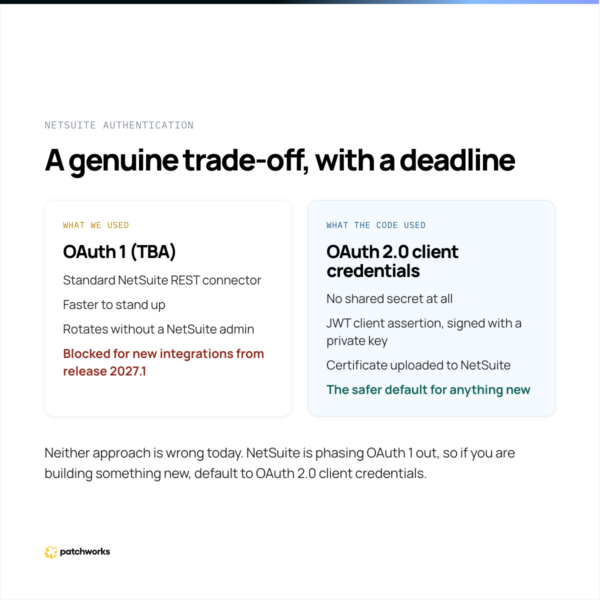
The original script authenticated with NetSuite using OAuth 2.0 client credentials and a signed JWT — a deliberate, more modern choice, but one that needs a certificate uploaded to NetSuite and a private key managed somewhere safe. We told the agent to use the standard NetSuite REST connector with OAuth 1 instead, which is simpler to configure and is what most Patchworks NetSuite connections use day to day.
Neither approach is wrong today. OAuth 2.0 client credentials avoids a shared secret entirely, which some security teams will prefer; OAuth 1 is faster to stand up and easier to rotate without a NetSuite admin’s involvement. Worth knowing, though: NetSuite is phasing OAuth 1 / token-based authentication out. Per NetSuite’s own 2026.1 release notes, new integrations won’t be able to use it from release 2027.1. If you’re building something new today, it’s worth defaulting to OAuth 2.0 client credentials — we’ve written up the full setup in a dedicated guide.
The agent’s own pre-flight checklist
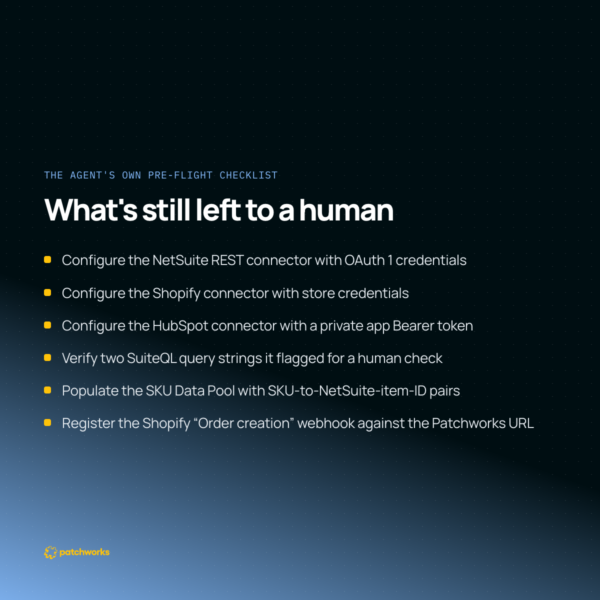
The agent finished with its own checklist, unprompted:
- Configure the NetSuite REST connector with OAuth 1 credentials (Account ID, Consumer Key/Secret, Token/Token Secret).
- Configure the Shopify connector with store credentials.
- Configure the HubSpot connector with a private app Bearer token.
- Manually verify two SuiteQL query strings it flagged as needing a human check in the flow editor.
- Populate the SKU Data Pool with SKU-to-NetSuite-item-ID pairs.
- Register the Shopify “Order creation” webhook against the Patchworks webhook URL.
It’s a short list, and it’s the right list. Nothing on it is the agent guessing — it’s the agent being honest about where its confidence runs out.
Don’t let an agent guess your NetSuite auth method. State it explicitly — the flow it builds, and the setup checklist you’re left with, both depend on it.
Do ask an integration agent to explain its shape choices before it builds, not after. It’s a five-second ask that surfaces decisions you’d otherwise have to reverse-engineer from a finished flow.
Take Action
This wasn’t a scripted demo. It’s what happened when we pointed a real AI integration agent at code that already existed, asked it one instruction, and let it work. If you’re evaluating whether AI Studio could do the same with your own integrations, the best way to find out is to try it.
Frequently Asked Questions
Can AI rebuild an existing custom integration as a low-code flow?
Yes, provided it’s given the source code or a clear description of the logic. Patchworks’ Implementation Agent can read existing integration code, map its logic to native flow shapes (filters, routes, mappings, connector steps), and flag the parts — like custom signature verification or non-standard auth — that still need a script.
What does Patchworks’ Implementation Agent ask before building an integration?
It typically confirms which connectors already exist versus need building, where reference data like a SKU map should live, which authentication method to use for less standard systems, and whether an existing blueprint should be reused before it starts from scratch.
Does Patchworks support NetSuite OAuth 2.0 machine-to-machine authentication?
Patchworks’ standard NetSuite connector uses OAuth 1, which is the default for most NetSuite integrations on the platform. OAuth 2.0 client-credentials (machine-to-machine, JWT-based) authentication is also possible where required, though it needs a certificate and private key managed on the NetSuite side.
How do you verify a Shopify webhook signature?
Shopify signs webhook payloads with an HMAC-SHA256 hash, computed using your app’s webhook secret, and sends it in the X-Shopify-Hmac-SHA256 header. Verifying it means recomputing the hash from the raw request body with your secret and comparing it to the header value using a constant-time comparison, before processing anything else in the payload.
What is an idempotency check in an integration flow?
An idempotency check confirms whether an incoming event — such as a Shopify order — has already been processed, before acting on it again. It prevents duplicate records, like a sales order created twice, when a webhook is retried or delivered more than once, which happens more often than most integrations account for.