Summary
Replatforming to Shopify is safer when product data moves in a planned order. Clean it, map it, run both stacks side by side, then check what’s live. This checklist is for Heads of IT, Ecommerce Managers and Operations Directors who need to keep trading while the platform changes.
Why does replatforming put product data at risk?
Replatforming puts product data at risk because that data lives in several systems at once. These are the product information management (PIM) system, the enterprise resource planning (ERP) system, the ecommerce platform and your marketplaces. Each move changes how data flows between them.
Picture a retailer with a PIM, an ERP and a storefront. The PIM holds descriptions and images. The ERP holds prices and stock.
The storefront shows both. When the storefront changes, every link between those systems has to be rebuilt or rechecked.
That’s manageable with a plan. Most problems come from links nobody remembered to test.
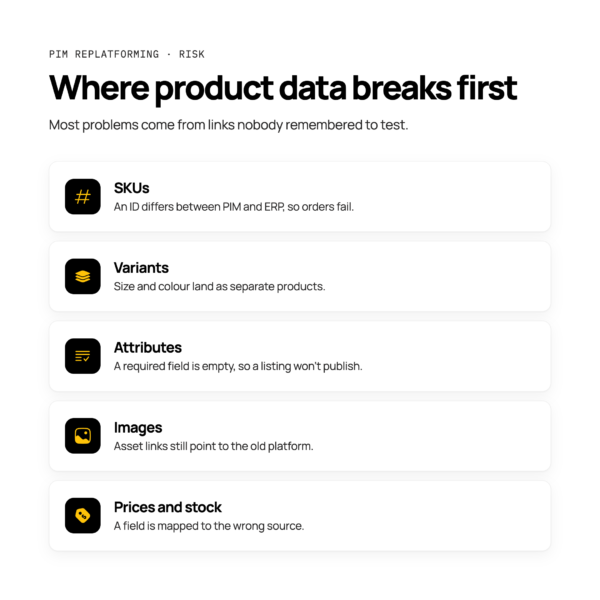
Where product data breaks first
Product data usually breaks first at the edges: SKUs, variants, attributes, images, prices and stock-linked fields. The causes are ordinary, and they’re easy to prevent once you know where to look.
- SKUs: an identifier differs between the PIM and the ERP, so an order fails on an unmatched SKU.
- Variants: size and colour options land as separate products instead of one product with variants.
- Attributes: a required field is empty, so a listing goes live with missing details or doesn’t publish.
- Images: asset links point to the old platform and stop working.
- Prices and stock: a field is mapped to the wrong source, so the storefront shows a stale value.
For more on these failures, read seven product data errors that break orders and listings.
What should you clean before you migrate?
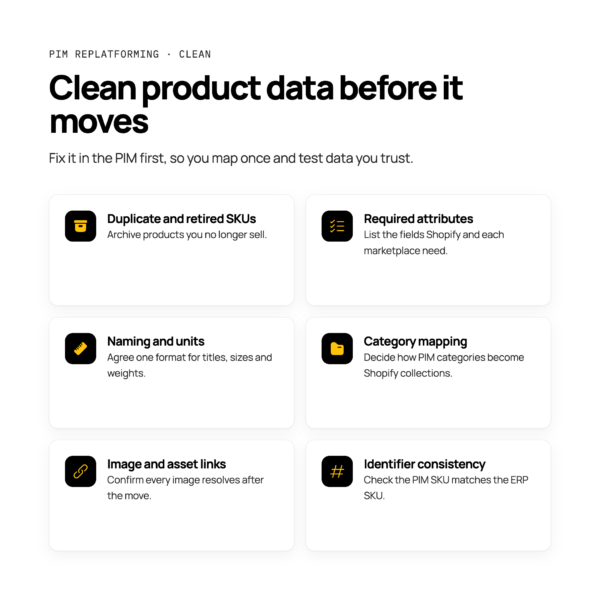
Fix the data in the PIM before it moves, not after go-live. Cleaning at source means you map once and test against data you can trust.
Work through these items:
- Duplicate and retired SKUs: Do archive products you no longer sell. Don’t carry dead SKUs into the new store.
- Required attributes: Do list the fields Shopify and each marketplace need. Don’t discover gaps after launch.
- Naming and units: Do agree one format for titles, sizes and weights. Don’t mix centimetres and inches in the same field.
- Category mapping: Do decide how your PIM categories become Shopify collections. Don’t copy the old tree across unchecked.
- Image and asset links: Do confirm every image resolves and is stored somewhere that outlasts the old platform.
- Identifier consistency: Do check that the SKU in the PIM matches the SKU in the ERP. Don’t assume it does.
Decide which system owns which product fields
Agree field ownership before you start mapping. Decide, field by field, whether the PIM or the ERP is the source of truth, and write it down. For the full argument, read PIM vs ERP: which system should own your product data?
Map fields and variants to the new platform
Mapping means matching each PIM field to a Shopify product, variant or metafield. Core details such as title and description map to product fields.
Options such as size and colour map to variants. Custom attributes usually go into metafields.
Document the mapping before you build anything. For apparel, variants need extra care, so read our guide to managing fashion product variants.
How do you run old and new stacks in parallel?
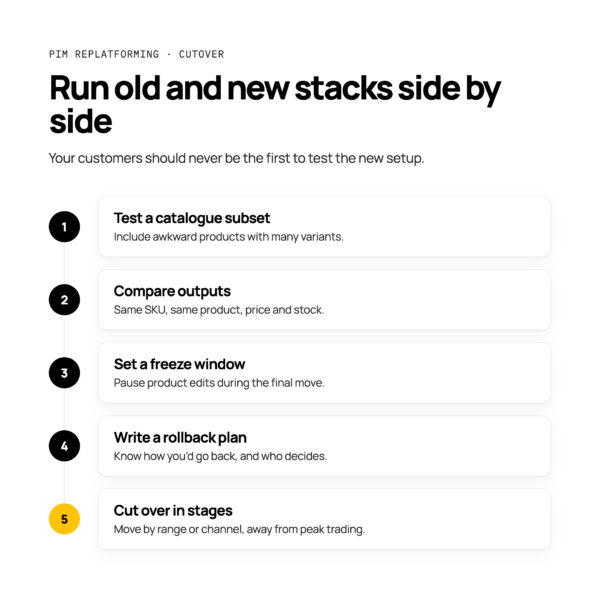
Keep the live stack trading while you build and test the new one, then cut over in stages. Your customers should never be the first people to test the new setup.
A sensible sequence looks like this:
- Start with a test catalogue subset. Move a small, representative group of products, including awkward ones with many variants.
- Compare outputs. Check that the new stack shows the same product, price and stock as the old one for the same SKU.
- Set a freeze window. Pause product edits while the final data moves, so nothing changes mid-transfer.
- Write a rollback plan. Know exactly how you’d return to the old stack, and who decides.
- Cut over in stages. Move by range or channel rather than all at once.
Don’t plan any of this around a fixed number of days until you’ve tested your own data. Timings depend on your catalogue and systems.
Plan the cutover around peak trading
Avoid cutting over during peak trading. Peak covers every high-volume period for your business, including sales, seasonal launches and Black Friday.
Work backwards from your busiest dates. Leave time after cutover for fixes, and keep the old stack available as a fallback until the new one has coped with normal trading.
Do schedule the freeze window in a quiet period. Don’t let a calendar launch date override a failed test.
For a fuller plan, read our guide to peak season readiness for retailers.
How do you check product data after go-live?
Compare what’s live against the PIM source, and watch closely for failures in the first trading days. The aim is to catch a problem before a customer does.
Use this post-launch checklist:
- Reconcile a sample of SKU counts between the PIM and Shopify.
- Check prices on a sample of products against the ERP.
- Confirm attributes and images show correctly on live listings.
- Check variants appear under the right parent product.
- Place test orders and confirm new SKUs flow into the ERP.
- Check marketplace listing status for rejected or missing items.
Monitoring and alerting help here. If a sync fails overnight, you want an alert in the morning, not a customer complaint.
How does orchestration reduce the risk?
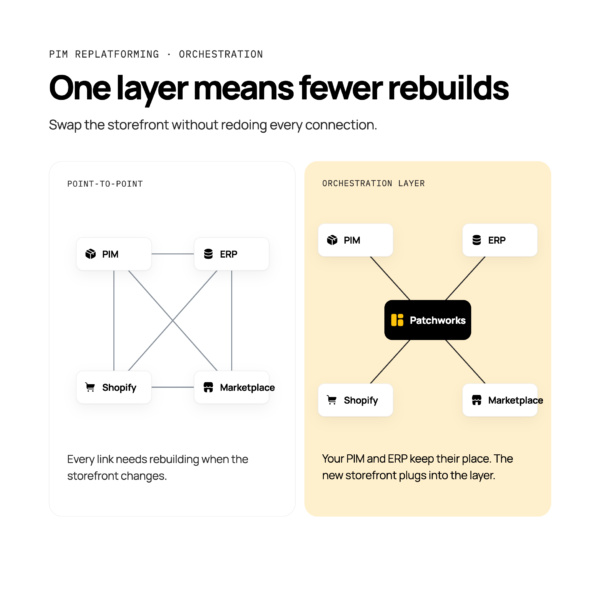
An orchestration layer reduces the risk by putting one layer between your PIM, ERP and Shopify, instead of separate connections that each need rebuilding. Patchworks is the retail-first, AI-native orchestration layer for retail tech stacks, and an iPaaS (integration platform as a service).
With point-to-point links, a platform change means redoing every connection. With one orchestration layer, you can swap or add a system without rebuilding everything. Your PIM and ERP keep their place, and the new storefront connects to the layer.
Patchworks offers prebuilt connectors, plus blueprints, which are prebuilt workflow templates for common processes. Patchworks is Shopify’s only Certified Technology Partner for integrations, and you can see what flows in our Shopify integration. Where a system isn’t in the marketplace, the connector builder can create a new connector.
AI Studio is our suite of agents that help you build, run and operate integrations faster. In plain terms, you describe what you need in English and the agents help with building, running and troubleshooting.
They support your developers and agency partners. They don’t replace them.
For the wider picture, read our guide to PIM integration.